
Networking
Dahua Interactive Screens: Smarter Displays for Modern Work and Learning
Oct
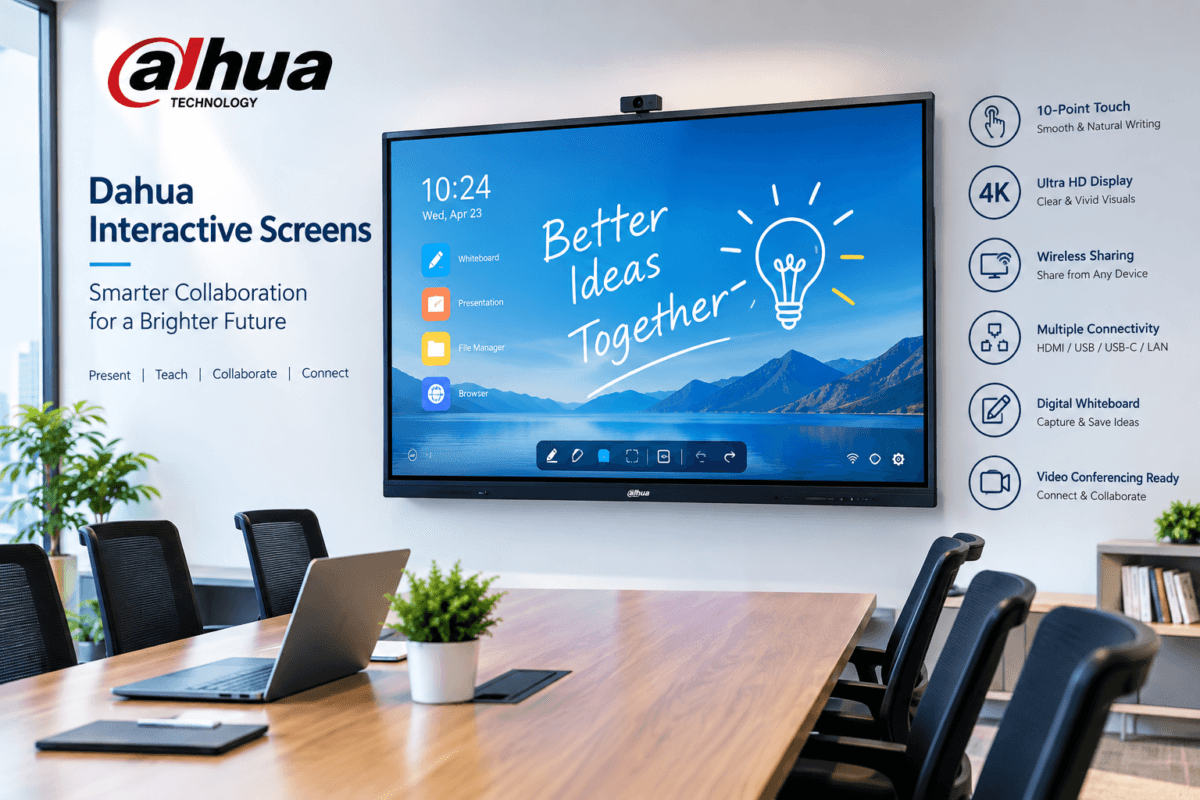
Dahua interactive screens provide an all-in-one solution for presentations, digital classrooms, meetings, training sessions, and collaborative workspaces.
With a large high-resolution display and interactive touch functionality, a Dahua interactive screen can transform an ordinary meeting room or classroom into a more engaging digital environment.
What Are Dahua Interactive Screens?
Dahua interactive screens are large-format interactive displays designed for education, business, training, and collaboration.
Unlike a conventional TV or monitor, an interactive screen allows users to interact directly with the content displayed on the screen. Depending on the model, users can write on the screen, annotate documents, display presentations, browse content, share screens, and connect external devices.
This eliminates the need for several separate devices and can help create a cleaner and more efficient presentation environment.
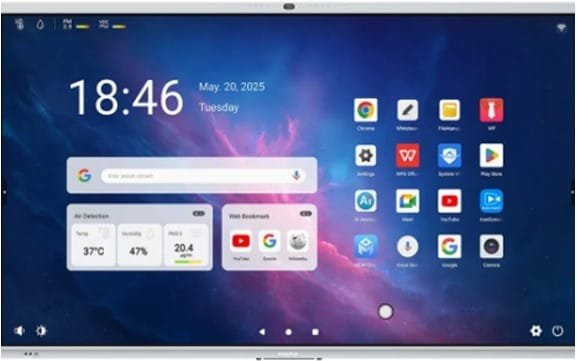
Key Features of Dahua Interactive Screen
1. Large High-Resolution Displays
Dahua interactive displays are designed to provide clear images and text on large screens.
High-resolution displays are particularly useful for:
- Business presentations
- Training sessions
- Classroom lessons
- Video conferences
- Technical demonstrations
- Digital signage and communication
The large screen makes content easier to see, even when participants are seated further away.
2. Touchscreen Interaction
One of the main advantages of an interactive screen is its touchscreen functionality.
Instead of controlling a presentation only from a laptop, presenters and teachers can interact directly with the display. This can include writing notes, highlighting information, moving objects, and navigating applications.
For classrooms, this provides a more interactive way of explaining concepts. In offices, users can annotate presentations, diagrams, documents, and project plans during meetings.
3. Digital Whiteboarding
Dahua interactive screens can also function as digital whiteboards.
Users can write directly on the display during meetings, lessons, or brainstorming sessions. Digital whiteboarding can make it easier to capture ideas and organize information without relying on a traditional marker board.
The content can also be saved and shared for future reference, depending on the specific model and software configuration.
4. Wireless Screen Sharing
Screen-sharing capabilities make it easier for participants to present content from compatible laptops, tablets, or smartphones.
This can be useful in meeting rooms where several people need to present during the same session.
Instead of repeatedly disconnecting and reconnecting cables, users can share their screens through supported wireless technologies.
5. Multiple Connectivity Options
Dahua interactive displays typically provide multiple connection interfaces to accommodate different devices.
Depending on the model, connectivity may include:
- HDMI
- USB
- USB-C
- LAN/Ethernet
- Audio interfaces
- Display interfaces
- Wireless connectivity
This allows the screen to be integrated with computers, cameras, conferencing equipment, storage devices, and other peripherals.
Dahua Interactive Screens for Schools
Interactive displays are becoming increasingly useful in modern educational environments.
A teacher can use an interactive screen to display presentations, diagrams, videos, websites, documents, and educational applications.
The ability to write directly on the screen also makes lessons more dynamic.
Benefits for Teachers
Teachers can use interactive screens to:
- Present digital learning materials
- Annotate diagrams and documents
- Display educational videos
- Write and draw digitally
- Explain concepts visually
- Share content with students
- Save notes for future lessons
Interactive displays can also reduce the need to switch between different presentation equipment during a lesson.
Dahua Interactive Screens for Businesses
Modern offices require technology that supports collaboration and communication.
Dahua interactive screens can be used in:
- Boardrooms
- Conference rooms
- Training rooms
- Meeting rooms
- Reception areas
- Command and control environments
- Corporate classrooms
During a meeting, participants can display a presentation, annotate it, brainstorm ideas, and share information from connected devices.
This makes the interactive display more than simply a large monitor—it becomes a collaboration tool.
Interactive Screens for Video Conferencing
Dahua interactive screens can also complement video conferencing systems.
A compatible camera, microphone, speaker, and conferencing platform can be connected to create a complete meeting environment.
For organizations with remote teams, an interactive display can provide a central screen for viewing remote participants while allowing people in the room to work with shared documents and presentations.
Why Choose Dahua Interactive Screens?
Dahua is widely known for its security and surveillance technology, but the company’s product portfolio also includes professional display and collaboration solutions.
Dahua interactive screens are designed to combine display, touch interaction, connectivity, and collaboration capabilities into one device.
For organizations upgrading their meeting rooms or classrooms, this can reduce the need for multiple separate pieces of equipment.
Where Can Dahua Interactive Screens Be Used?
Dahua interactive screens can be suitable for many environments, including:
Schools and Universities
For interactive teaching, presentations, digital lessons, and training.
Corporate Offices
For meetings, presentations, brainstorming, and team collaboration.
Training Centres
For instructor-led training and demonstrations.
Government Offices
For meetings, presentations, and collaborative discussions.
Hotels and Conference Facilities
For conferences, seminars, workshops, and corporate events.
Healthcare and Professional Training
For presentations, staff training, and information sharing.
Choosing the Right Dahua Interactive Screen
When selecting an interactive display, consider more than just screen size.
Important specifications to evaluate include:
- Screen size
- Display resolution
- Touch technology
- Number of simultaneous touch points
- Brightness
- Operating system
- RAM and storage
- HDMI and USB connectivity
- USB-C support
- Wireless screen sharing
- Built-in speakers
- Camera and microphone compatibility
- Mounting options
- Warranty and after-sales support
The ideal specification will depend on whether the screen is intended primarily for education, business meetings, training, or video conferencing.
Conclusion
Dahua interactive screens provide a modern way to present information, collaborate, teach, and conduct meetings. By combining a large high-resolution display with touchscreen interaction, digital whiteboarding, connectivity, and screen-sharing capabilities, they can support a wide range of professional and educational applications.
