
Networking
Vention Docking Stations: Expand Your Laptop Connectivity
Sep
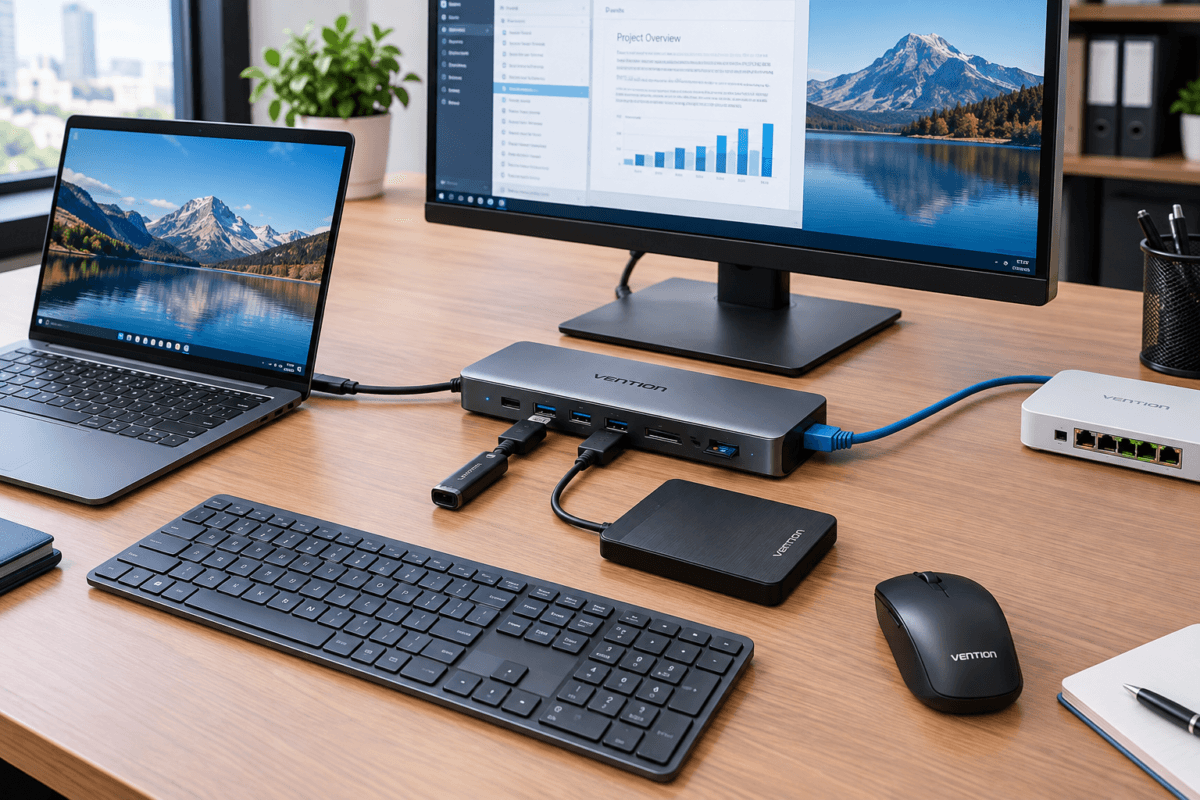
A Vention docking station expands the connectivity of your laptop through a single connection. It allows you to connect multiple peripherals while keeping your workspace organized and easy to manage.
What Is a Docking Station?
A docking station is a device that adds extra ports and connectivity options to a laptop or computer.
Instead of connecting several devices directly to your laptop, you can connect them to the docking station. The docking station then connects to the laptop, commonly through USB-C.
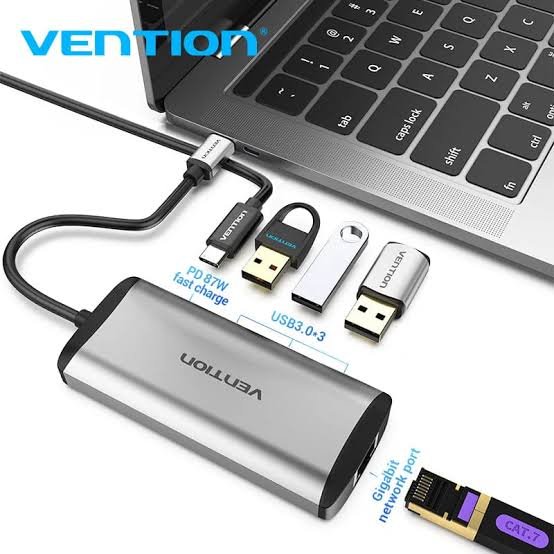
Depending on the model, a Vention docking station may provide ports such as:
- HDMI
- DisplayPort
- USB-A
- USB-C
- Gigabit Ethernet
- SD card
- MicroSD card
- 3.5 mm audio
- USB-C Power Delivery
The exact ports and capabilities depend on the specific Vention model.
Why Use a Vention Docking Station?
1. Connect More Devices
Many modern laptops have only a few USB-C or USB ports. A docking station gives you additional connectivity.
You can connect a monitor, keyboard, mouse, external storage, network cable, and other accessories from one central device.
2. Connect an External Monitor
A docking station can make it easier to connect your laptop to a larger external display.
This is particularly useful for office work, presentations, graphic design, spreadsheets, video editing, and multitasking.
Depending on the model, Vention docking stations can support different video resolutions and refresh rates. Always check the specifications of the particular model before purchasing.
3. Wired Network Connectivity
Some laptops no longer include an Ethernet port. A docking station with an RJ45 Gigabit Ethernet port allows you to connect the laptop to a wired network.
This can be useful in offices where a stable wired connection is preferred for business applications, file transfers, video conferencing, and internet access.
4. Reduce Cable Clutter
A docking station provides a central connection point for your peripherals.
Instead of having cables connected to different sides of your laptop, most accessories can remain connected to the docking station.
This creates a cleaner and more organized workspace.
5. Convenient Laptop Setup
A docking station can make it easier to switch between mobile and desktop working.
When you return to your desk, you can connect your laptop to the docking station and quickly access your monitor, network, keyboard, mouse, and other peripherals.
Vention Docking Stations for Office Use
Vention docking stations can be useful in modern office environments.
For example, an employee working with a laptop may need:
Laptop → Docking Station → Monitor + Keyboard + Mouse + Ethernet + USB Devices
This setup allows the laptop to function as the main computer while the docking station provides the additional connectivity required for a desktop-style workstation.
It can also be useful for hot-desking environments where employees frequently move between workstations.
USB-C Compatibility Is Important
Before purchasing a docking station, it is important to check the laptop’s USB-C capabilities.
Not every USB-C port supports the same functions.
For example, video output through USB-C generally requires the laptop’s USB-C port to support a compatible display-output standard such as DisplayPort Alt Mode or Thunderbolt/USB4, depending on the setup.
Therefore, having a USB-C port does not automatically mean that every docking station feature will work.
Docking Station vs USB Hub
A USB hub and a docking station serve similar purposes, but they are not always the same.
A basic USB hub primarily adds additional USB ports.
A docking station can provide a wider range of connectivity, such as:
- Multiple USB ports
- HDMI or DisplayPort
- Ethernet
- Audio
- SD card readers
- USB-C Power Delivery
If you only need additional USB ports, a simple hub may be sufficient. If you want to create a more complete workstation around your laptop, a docking station may be more suitable.
Choosing the Right Vention Docking Station
The right model depends on how you intend to use it.
Before selecting a Vention docking station, consider:
Number of Displays
If you plan to connect one or more monitors, check the number and type of available video outputs.
Display Resolution
Check whether the docking station supports the resolution and refresh rate required by your monitor.
USB Ports
Consider the number of USB-A and USB-C devices you need to connect.
Ethernet
If you require a wired network connection, choose a model with an RJ45 Ethernet port.
Power Delivery
Some USB-C docking stations support Power Delivery, allowing compatible laptops to receive power through the docking station.
Check the maximum supported wattage and whether your laptop is compatible.
Operating System
Check compatibility with your laptop’s operating system and the requirements of the particular docking station.
Conclusion
A Vention docking station is a practical solution for expanding laptop connectivity.
It allows users to connect displays, USB peripherals, wired networks, storage devices, and other accessories through a centralized connection.
However, docking stations differ in their supported ports, display resolutions, power delivery capabilities, and compatibility. Always check the specifications of the specific Vention model and the capabilities of your laptop before purchasing.
For users looking to create a cleaner and more flexible laptop workstation, a Vention docking station can provide the connectivity needed for modern computing.
