
HikVision Interactive screens
Hikvision Interactive Screens: The Complete 2026 Guide for Smart Classrooms & Modern Boardrooms

Feb
Interactive technology is transforming how organizations communicate, teach, and collaborate. Traditional whiteboards and projectors are quickly being replaced by high-resolution, touch-enabled smart displays.
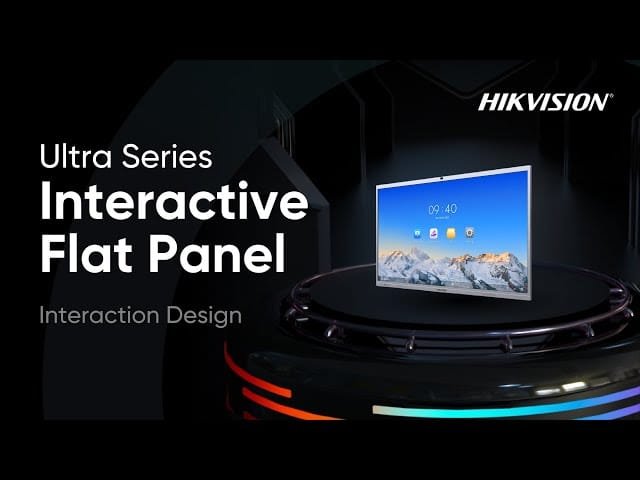
One of the leading manufacturers in this space is Hikvision, globally known for intelligent security and smart technology solutions. Their Interactive Flat Panels (IFPs) combine 4K display clarity, multi-touch functionality, and built-in smart operating systems all in one powerful device.
This in-depth guide covers everything you need to know before investing in a Hikvision interactive screen.
What Is a Hikvision Interactive Screen?
A Hikvision Interactive Screen is a large-format 4K touch display designed for:
- Corporate meeting rooms
- Classrooms & universities
- Training centers
- Government offices
- Conference facilities
It functions as:
- A digital whiteboard
- A presentation display
- A wireless screen-sharing hub
- A video conferencing device (on supported models)
Unlike projectors, interactive screens provide consistent brightness, sharper resolution, and no lamp maintenance costs.
Core Features of Hikvision Interactive Displays
4K Ultra HD Resolution
Most models offer:
- 3840 × 2160 resolution
- Wide viewing angles
- Anti-glare tempered glass
- High brightness for well-lit rooms
This ensures clear presentations, even in rooms with natural light.
Multi-Touch & Smooth Writing Experience
Hikvision interactive screens typically support up to 20 touch points or more, allowing:
- Multiple users to write simultaneously
- Pinch-to-zoom gestures
- Precise stylus input
- Palm rejection technology
This is ideal for collaborative brainstorming and classroom participation.
Built-In Android Operating System
Most Hikvision IFPs include a built-in Android OS, allowing users to:
- Open files directly from USB
- Use built-in whiteboard apps
- Install productivity applications
- Annotate over documents and presentations
For full Windows functionality, an optional OPS module can be installed.
Wireless Screen Sharing
With built-in wireless casting, users can mirror their screens from:
- Laptops
- Smartphones
- Tablets
This eliminates cable clutter and reduces meeting setup time.
Integrated Video Conferencing (Select Models)
Some models include:
- Built-in 4K camera
- Microphone array
- Noise reduction technology
- Speaker system
This makes them ideal for hybrid meetings using platforms like Zoom or Microsoft Teams.
Available Screen Sizes
Hikvision interactive screens are commonly available in:
- 65-inch
- 75-inch
- 86-inch

How to Choose the Right Size
| Room Type | Recommended Size |
| Small meeting room (6–10 people) | 65″ |
| Medium boardroom | 75″ |
| Large conference hall | 86″ |
Viewing distance and room dimensions are critical factors.
Benefits of Hikvision Interactive Screens
For Businesses
- Improved meeting productivity
- Real-time collaboration
- Faster decision-making
- Professional presentations
- Reduced reliance on multiple devices
Organizations can centralize collaboration in one smart display.
For Schools & Universities
- Interactive learning environment
- Student engagement through touch participation
- Multimedia lesson delivery
- Digital note saving and sharing
Teachers can annotate directly over slides and export lessons as PDFs.
For Healthcare & Government
- Training presentations
- Policy briefings
- Secure internal collaboration
- Digital document markup
Interactive displays enhance communication efficiency in formal settings.
Technical Specifications to Consider Before Buying
When evaluating a Hikvision interactive screen, assess:
Touch Technology
Infrared touch ensures responsiveness and durability.
Connectivity Options
Look for:
- HDMI inputs
- USB ports
- LAN connection
- Wi-Fi
- Bluetooth
Audio System
Check built-in speaker wattage for large rooms.
Expandability
Ensure OPS slot availability if Windows integration is required.
Warranty & Support
Confirm local distributor warranty coverage.
Installation & Deployment Best Practices
Wall Mounting vs Mobile Stand
- Wall mounting is ideal for permanent boardrooms.
- Mobile stands allow flexibility across rooms.
Optimal Mounting Height
The center of the display should align with seated eye level to prevent neck strain.
Network Configuration
For shared environments:
- Secure Wi-Fi with password protection
- Disable unauthorized casting
- Restrict admin access
Proper configuration improves security and performance.
Cost Considerations
Pricing varies depending on:
- Screen size
- Built-in camera features
- OPS module inclusion
- Regional distributor pricing
While interactive screens require a higher upfront investment than projectors, they reduce long-term maintenance costs and improve operational efficiency.
Hikvision Interactive Screens vs Traditional Projectors
| Feature | Interactive Screen | Projector |
| Brightness | Consistent | Depends on bulb |
| Resolution | 4K Ultra HD | Often lower |
| Maintenance | Minimal | Bulb replacement required |
| Touch Interaction | Yes | No |
| Long-Term Cost | Lower | Higher |
Interactive displays offer better long-term ROI.
Why Choose Hikvision for Interactive Displays?
Hikvision is known globally for:
- Robust hardware manufacturing
- Competitive pricing
- Smart technology integration
- Enterprise-level reliability
Organizations already using Hikvision surveillance systems may benefit from brand consistency and ecosystem compatibility.
Frequently Asked Questions (FAQ)
Do I need an external PC?
No. Built-in Android OS handles most tasks. For advanced applications, add a Windows OPS module.
Can multiple people write at once?
Yes. Most models support up to 20 touch points or more.
Is it suitable for hybrid meetings?
Yes, especially models with integrated cameras and microphones.
Does it support screen recording?
Many models allow screen capture and file export.
Final Verdict: Is a Hikvision Interactive Screen Worth It?
If your organization values:
- Professional presentations
- Smart collaboration
- Engaging classroom learning
- Long-term cost efficiency
Then a Hikvision Interactive Screen is a strong investment for 2026 and beyond.
They combine intelligent software, high-quality display panels, and durable hardware — making them ideal for modern digital workspaces.
