
Uncategorized
Why Rack Cabinets, Patch Panels, and Cable Management Matter in Modern Network Infrastructure
Jan
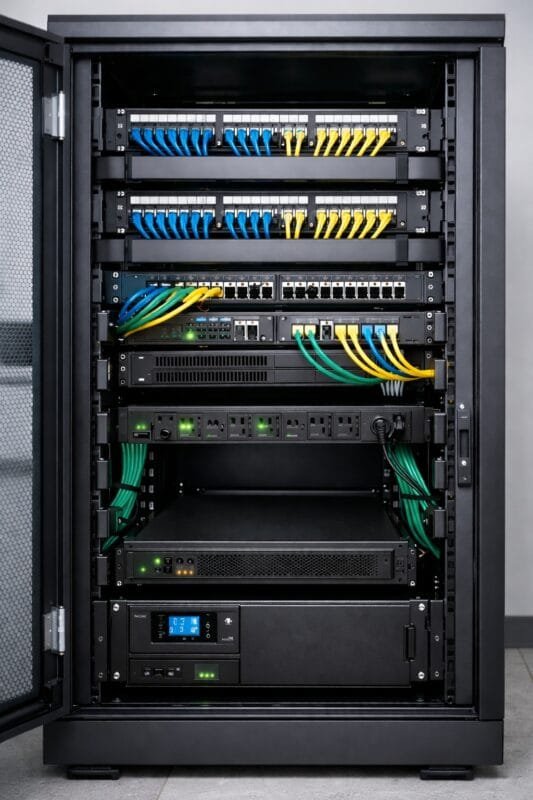
Modern business networks depend on more than just quality Ethernet cables. Rack cabinets, patch panels, and proper cable management are the structural backbone of a reliable, scalable, and standards-compliant ICT infrastructure. Without them, even high-quality Cat 6 or fiber cabling can underperform.
This guide explains how these components work together, why they matter, and how to implement them correctly in office networks, data rooms, and CCTV installations for efficient internet flow.
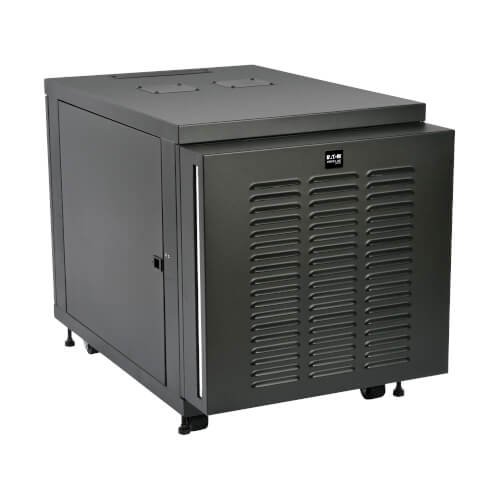
What Is a Network Rack Cabinet?
Key Benefits of Using Rack Cabinets
A network rack cabinet is a standardized enclosure designed to securely mount and organize IT and networking equipment such as switches, routers, servers, firewalls, PBXs, NVRs, and UPS systems.
- Physical security: Lockable doors protect critical equipment
- Equipment standardization: Uses 19-inch rack mounting and rack units (U)
- Efficient airflow management: Prevents overheating and equipment failure
- Professional organization: Simplifies maintenance and upgrades
Types of Rack Cabinets
- Wall-mounted racks: Ideal for small offices, retail outlets, and CCTV systems
- Floor-standing racks: Used in server rooms and enterprise networks
- Open racks: Provide easy access but limited security
- Outdoor racks: Designed for harsh environments with IP-rated protection

Choosing the Right Rack Size
Selecting the correct rack size requires planning for:
- Number of switches and servers
- Patch panels and cable managers
- PDUs and UPS units
- Future expansion (recommended 20–30% spare capacity)
Understanding Patch Panels in Structured Cabling
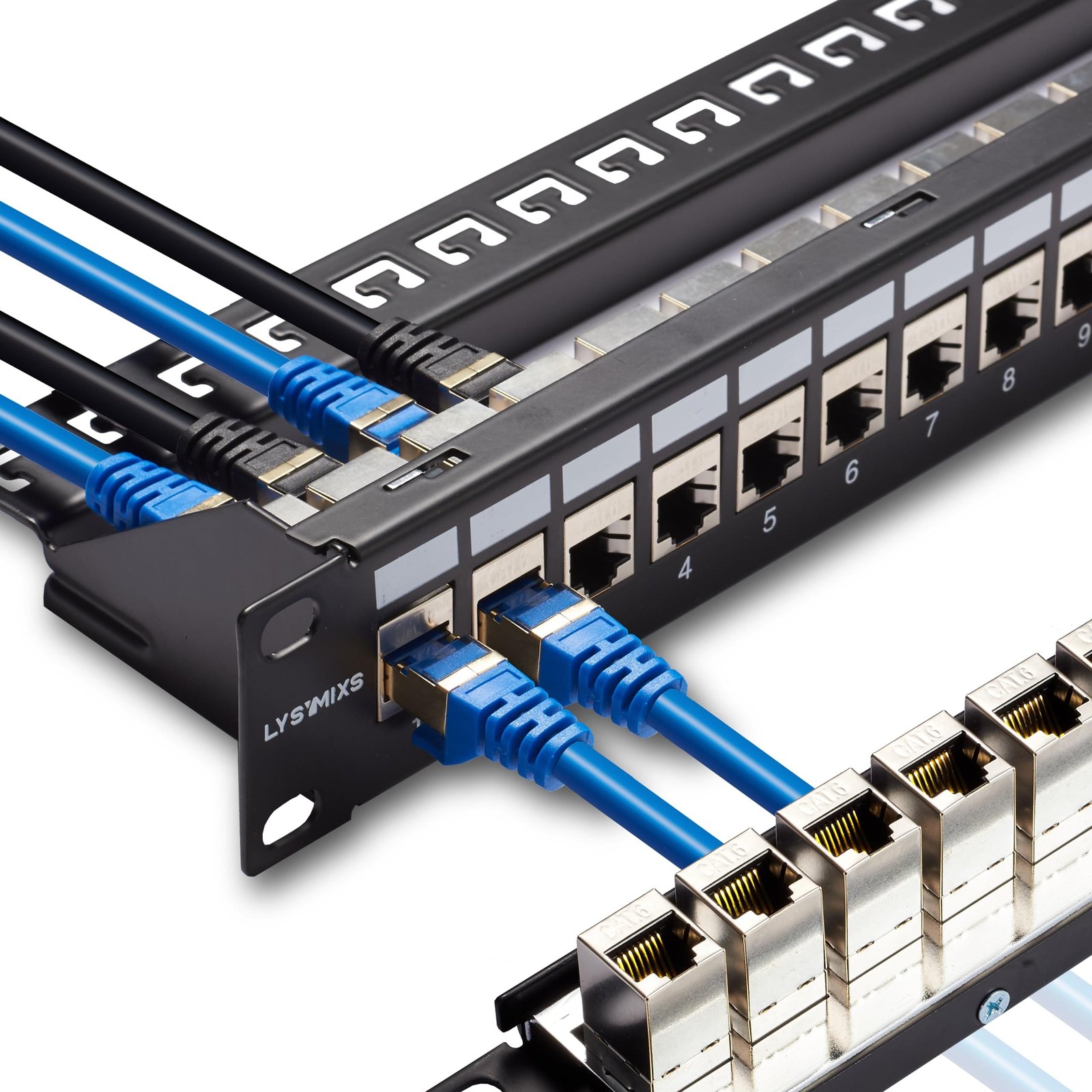
A patch panel is a passive networking component used to terminate and organize Ethernet or fiber optic cables. It serves as the interface between horizontal cabling and active network devices.
Why Patch Panels Are Critical
- Reduces wear on switches by minimizing direct cable connections
- Simplifies troubleshooting and port tracing
- Supports structured cabling standards (TIA/EIA)
- Improves network scalability and documentation
Types of Patch Panels
- Cat 6 and Cat 6A patch panels for Gigabit and 10-Gigabit networks
- Shielded patch panels for industrial or high-interference environments
- Fiber optic patch panels for backbone and long-distance links
- Modular patch panels allowing flexible port configurations
Patch Panel Best Practices
- Terminate cables using T568B standard
- Label each port clearly and consistently
- Maintain cable bend radius during termination
- Use matching patch cords (Cat 6 to Cat 6)
Cable Management: More Than Just Neatness
Cable management is the systematic routing, securing, and organizing of cables within racks, trays, and pathways. It directly affects network performance and longevity.
Why Proper Cable Management Is Essential
- Prevents signal degradation caused by tight bends or crushed cables
- Enhances airflow, reducing heat buildup in racks
- Speeds up maintenance and fault resolution
- Improves safety and compliance
Common Cable Management Components
- Horizontal cable managers (1U or 2U)
- Vertical cable managers for tall racks
- Cable trays and ladder racks
- Velcro straps (preferred over plastic ties)
- Brush panels and blanking panels
Well-managed cabling significantly reduces downtime during upgrades or troubleshooting.
How Rack Cabinets, Patch Panels, and Cable Management Work Together
In a structured cabling environment:
- Network cables terminate on patch panels
- Patch cords connect patch panels to network switches
- Equipment is securely mounted in rack cabinets
- Cables are routed through dedicated cable managers
This architecture ensures organization, scalability, and professional maintenance.
Airflow and Power Management Considerations
Poor airflow is a leading cause of network equipment failure.
Best Practices for Airflow
- Use vented doors and side panels
- Install blanking panels to prevent hot air recirculation
- Avoid blocking fan intakes with excess cabling
Power Distribution in Racks
- Use rack-mount PDUs with surge protection
- Separate power and data cables to reduce interference
- Install UPS systems for critical equipment
Common Mistakes in Rack and Cable Installations
- Skipping patch panels to save cost
- Overcrowding racks without airflow planning
- Mixing copper and fiber without proper separation
- Inadequate labeling and documentation
- Using low-quality accessories that degrade performance
These mistakes often lead to network downtime, overheating, and increased maintenance costs.
Best Practices for Professional ICT Installations
- Design rack layouts before installation
- Follow structured cabling standards (TIA/EIA)
- Label all cables, ports, and devices
- Maintain consistent color coding
- Schedule periodic rack audits and maintenance
