
Uncategorized
A Modern Workstation Huawei IdeaHub
Huawei IdeaHub is an intelligent collaboration tool designed for modern workplaces and educational environments. It integrates various functions such as smart writing, video conferencing, wireless sharing, and cloud-based collaboration into a single, sleek device. With cutting-edge hardware and software, the IdeaHub offers an all-in-one solution for productivity and innovation.
Key Features of Huawei IdeaHub
1. Smart Collaboration
- Interactive Whiteboard: Offers a smooth writing experience with low latency. The board recognizes handwriting, supports multi-touch gestures, and enables saving or sharing notes in real time.
- Annotation Tools: Users can annotate over presentations, documents, or applications during meetings.
2. Seamless Video Conferencing
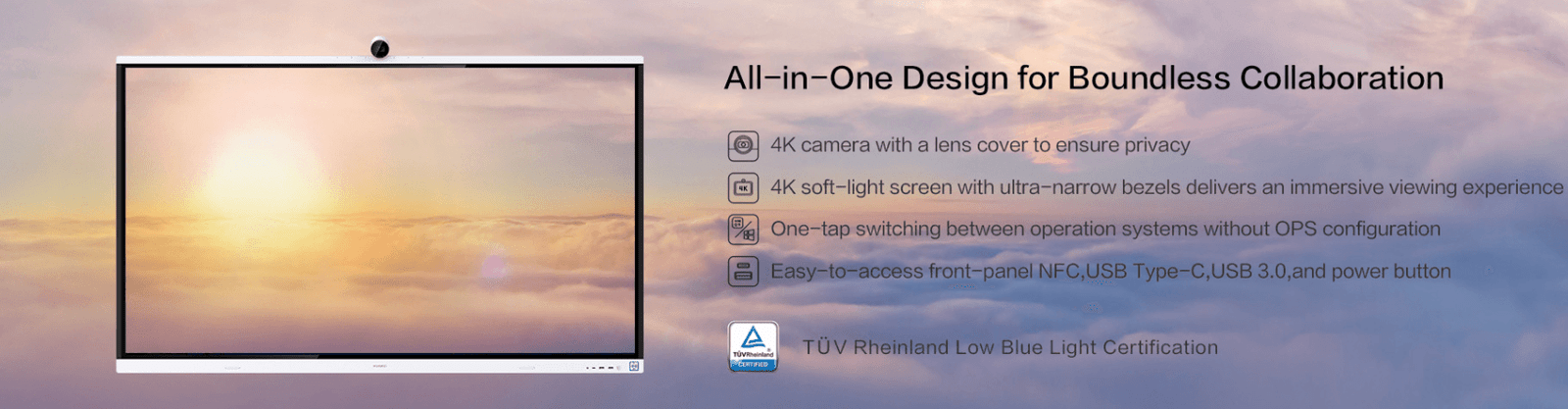
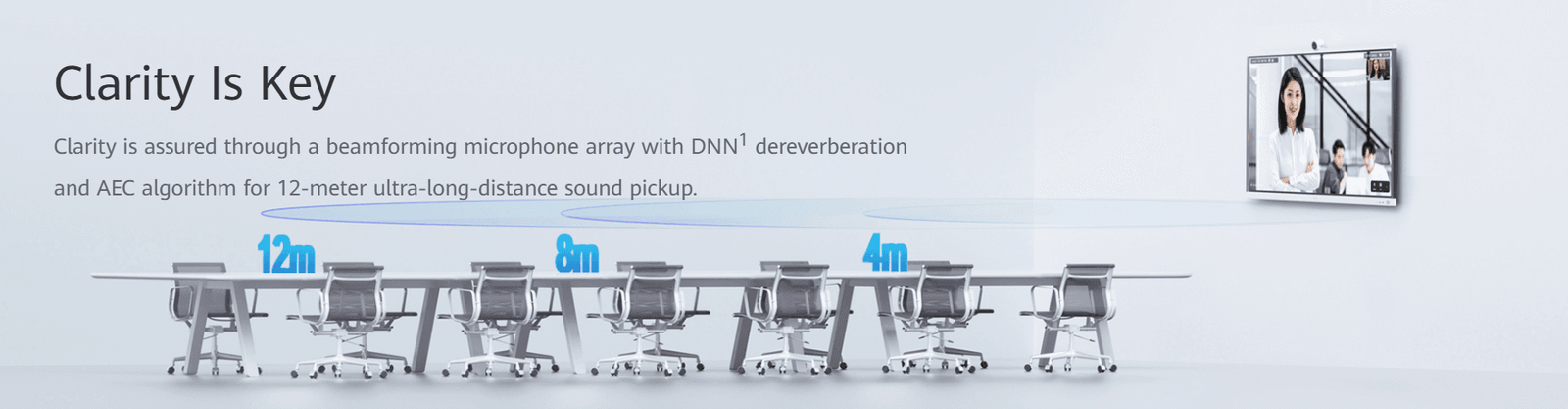
- High-Definition Video and Audio: The IdeaHub supports 4K resolution for video and presentations. It includes advanced noise-canceling microphones and built-in AI cameras that adjust automatically to focus on speakers.
- Platform Compatibility: Compatible with major video conferencing platforms like Zoom, Microsoft Teams, and Huawei Cloud Meeting.
3. Wireless Projection
- One-Tap Projection: Wireless screen sharing is supported from laptops, tablets, and smartphones. It eliminates the need for cables or additional software.
- Multi-Device Support: Users can project screens from multiple devices simultaneously for collaborative discussions.
4. AI-Powered Features
- Intelligent Cameras: Track participants in a meeting room to ensure everyone is visible.
- Speech Enhancement: Noise suppression and voice clarity adjustments improve communication quality.
5. Cloud Integration
- Access and save files directly to cloud storage services like Huawei Cloud, Google Drive, or Microsoft OneDrive, making files available for real-time collaboration.
6. Multiple Size Options
- Available in various sizes, typically 65-inch and 86-inch models, catering to different room sizes and use cases.
7. Flexible Deployment
- Can be wall-mounted or placed on a movable stand, adapting to both fixed and mobile setups.
Applications of Huawei IdeaHub
1. Corporate Workplaces
- Enhance meeting efficiency with collaborative tools, annotations, and seamless video conferencing.
- Ideal for brainstorming sessions, remote collaboration, and hybrid work setups.
2. Educational Institutions
- Facilitate interactive and engaging learning experiences with digital whiteboards and remote teaching tools.
- Enables integration of multimedia content to make learning more dynamic.
3. Healthcare
- Streamline telemedicine consultations and staff training sessions.
- Share medical reports and imaging in real-time for collaborative analysis.
4. Creative Industries
- Boost creativity by brainstorming ideas, drawing directly on the board, and annotating designs in meetings.
- Share designs and projects wirelessly during presentations.
Huawei IdeaHub Models
- IdeaHub S
- Standard version with essential features for video conferencing and wireless projection.
- IdeaHub Pro
- Advanced version with enhanced AI features, 4K display, and more robust collaboration tools.
- IdeaHub Enterprise
- Tailored for large organizations, with enterprise-level integrations and scalability options.
Benefits of Huawei IdeaHub
- All-in-One Device: Combines multiple tools into a single system, reducing the need for separate devices and setups.
- User-Friendly Interface: Intuitive touchscreen and software make it easy for users to get started.
- High Compatibility: Works with a wide range of devices, platforms, and software solutions.
- Cost-Effective: Saves money by replacing multiple standalone devices like projectors, whiteboards, and conferencing systems.
- Elegant Design: A sleek and modern design that fits into professional and educational environments.

Setup and Deployment
- Physical Installation
- Choose between wall-mounting or a movable stand for portability.
- Ensure the device is connected to a stable power source.
- Connectivity
- Supports both wired (HDMI, USB, Ethernet) and wireless connections (Wi-Fi, Bluetooth).
- Integrate with your existing network for seamless operation.
- Initial Configuration
- Log into cloud services and video conferencing platforms.
- Customize settings such as camera angles, screen calibration, and microphone sensitivity.
Comparison with Competitors
| Feature | Huawei IdeaHub | Microsoft Surface Hub | Cisco Webex Board |
|---|---|---|---|
| Interactive Whiteboard | Yes | Yes | Yes |
| Wireless Projection | Yes | Yes | Limited |
| AI Camera Features | Advanced | Basic | Advanced |
| Cost | Competitive | Higher | Higher |
| Cloud Integration | Wide Support | Limited | Limited |
Tips for Maximizing IdeaHub’s Potential
- Train staff and users on advanced features like annotations and wireless sharing.
- Use cloud storage integration to streamline file access and sharing.
- Regularly update the firmware for new features and security improvements.
- Utilize AI features like auto-framing and voice clarity for professional video calls.
Conclusion
Huawei IdeaHub is a powerful tool for fostering collaboration, enhancing productivity, and transforming traditional workspaces into smart environments. Whether for business meetings, remote learning, or creative brainstorming, the IdeaHub stands out as an essential investment for the future of work and education.
